
Win more bids.
Never miss a requirement.
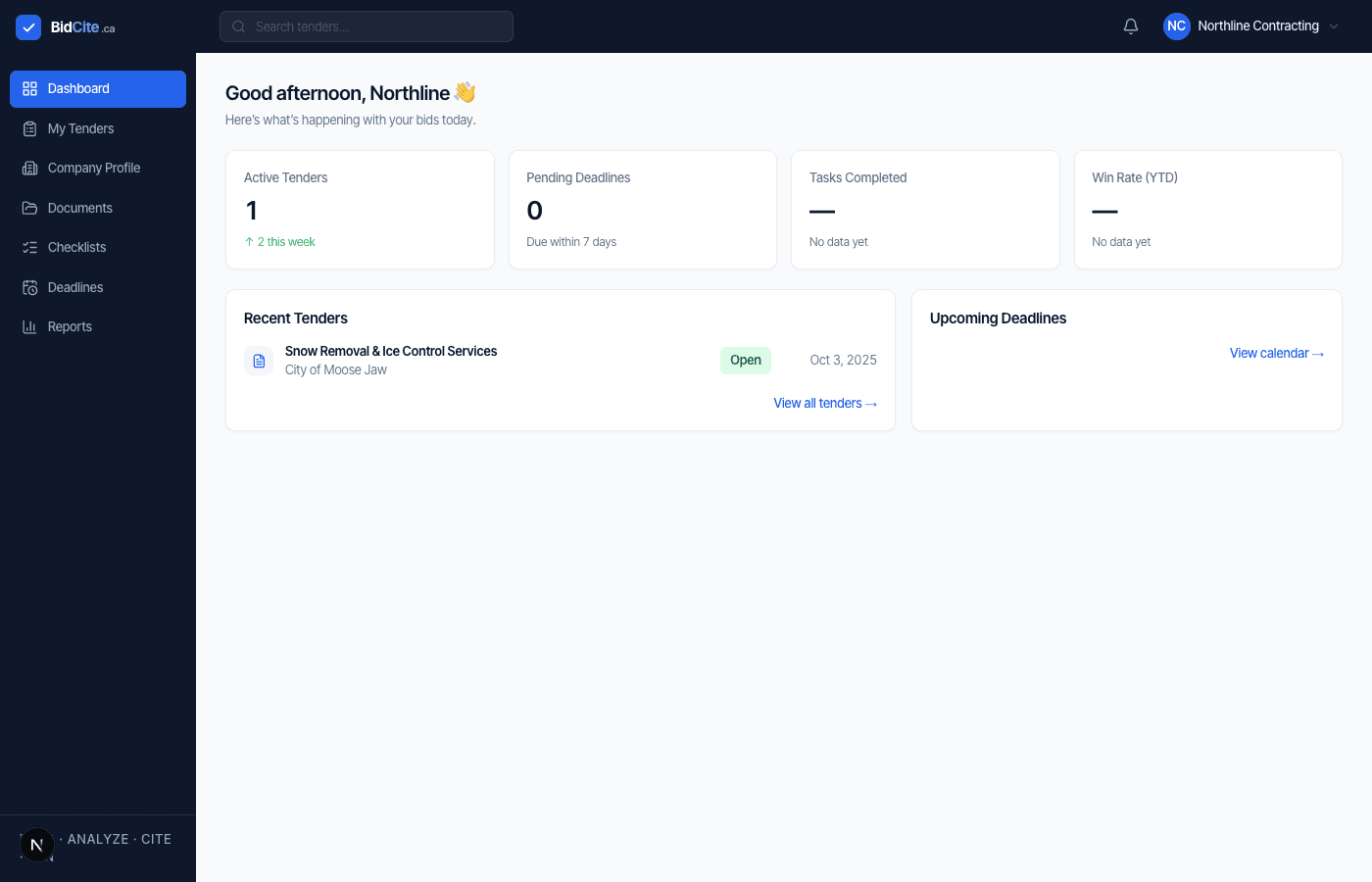
Built for teams that cannot afford to miss a requirement.
The Problem
Tender documents weren’t designed to be easy to understand.
A tender can run to hundreds of pages — mandatory requirements, insurance clauses, certifications, site visits, reference requirements, evaluation criteria, pricing forms, addenda, submission instructions. The real problem isn’t reading the tender. It’s missing something inside it.
Without BidCite
- 1120-page tender
- 2Hours of reading
- 3A spreadsheet you built yourself
- 4Manual cross-checking
- 5Uncertainty at submission
With BidCite
- 1Upload the tender
- 2Every requirement extracted
- 3Each one cited to its source
- 4Checked against your company
- 5A checklist through to done
The Differentiator
AI answers are only useful when you can verify them.
Not: “Upload PDF, get a summary.”
Understand exactly what the tender requires — and know where it came from.
Commercial General Liability — $5,000,000
Product
Everything you need to bid with confidence.
Find Every Requirement
Systematically analyze tender documents and identify every mandatory requirement, evaluation criterion, and submission rule.
Cite the Source
Every extracted requirement links back to the exact page it came from. Click a citation to see it highlighted in the source PDF.
Know If You Qualify
A Fit Score compares tender requirements against your company profile, so you know where you stand before you commit.
Stay Compliant
A generated submission checklist tracks every requirement through to done, so nothing falls through the cracks before the closing date.
Understand Addenda
Upload a new version and BidCite diffs it against what's on file — closing-date changes, new requirements, and their severity.
Company Knowledge
Maintain your company's licenses, certifications, and project history in one place — reused in every fit assessment.
How It Works
From tender to submission in 5 simple steps
Upload Tender
Drop in the RFP or RFT PDF — no reformatting needed.
We Analyze
BidCite parses the document and extracts every requirement with a citation.
Review & Cite
Confirm, correct, or flag each finding against its source page.
Build Your Bid
Work through your auto-generated submission checklist.
Submit with Confidence
Track deadlines and know exactly what's left before you submit.
Should We Even Bid This?
Know if you qualify before you invest the time.
BidCite checks every extracted requirement against your company profile and shows a Fit Score — a decision-support signal, not an automatic bid decision. It always tells you how complete that picture actually is.
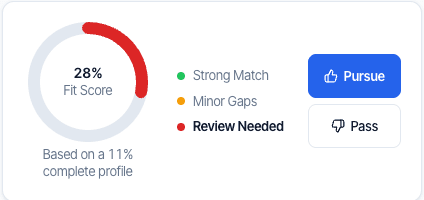
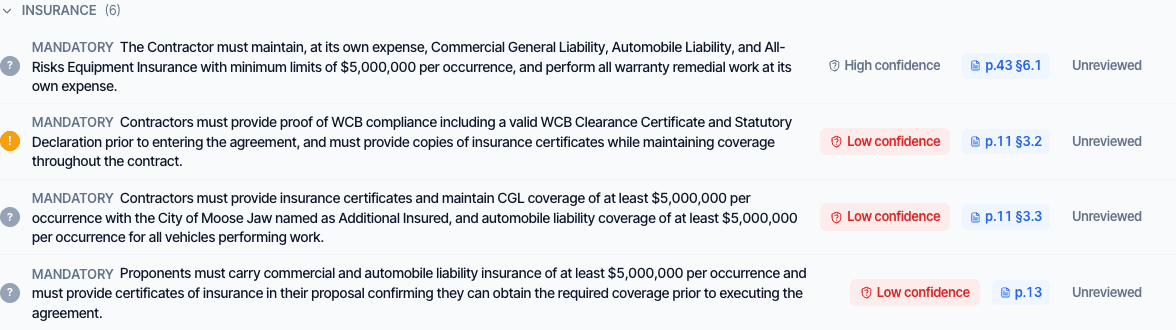
Real product screens from a sample tender — not staged. Fit Score is intentionally low here because this org’s company profile is only 11% complete.
Illustrative — real BidCite addenda diffs render this exact before/after pattern for whatever changed in your tender.
Addenda
The tender changed. Did your bid?
Upload a new version of the tender and BidCite diffs it against what’s already on file — a changed closing date, new or altered requirements, flagged by how much they matter. Nothing gets missed because it arrived after you’d already started.
Before You Submit
Run the final check before you submit.
One last pass across every extracted requirement and checklist item — what’s passed, what needs a second look, and what would block submission.
No blocking issues found.
44 passed · 2 warnings · 0 blocking
Blocking (0)
Nothing is blocking submission.
Warnings (2)
Reference #2 may not meet the tender’s definition of “similar project.”
Passed (44)
Technical proposal, pricing, insurance, and references attached.
Illustrative — shown with sample data, not a live tender.
Who It’s For
Built for teams that respond to public-sector tenders.
General Contractors
Manage large tender packages with dozens of requirements, insurance clauses, and evaluation criteria without losing track of what's mandatory.
Specialty Contractors
Know whether a tender fits your capabilities before investing the time to prepare a full response.
Maintenance & Facilities
Track recurring municipal and institutional tenders and the documentation each one requires.
Landscaping & Snow Contractors
Manage seasonal municipal and institutional opportunities with tight, weather-driven closing windows.
Construction & Service Businesses
Reuse your company profile and past submissions to move faster on every new opportunity.
Trust
Built to be trusted with your data and your bid.
Your data stays in your organization
Row-level security is enforced per organization at the database layer, verified with live cross-org isolation tests — not just access-control code nobody has checked.
Every finding traces to its source
Extracted requirements link back to the exact page and section they came from — not a paraphrase you have to take on faith.
You confirm every finding
BidCite surfaces requirements and a fit assessment; a human reviews and confirms each one before it counts toward your bid.